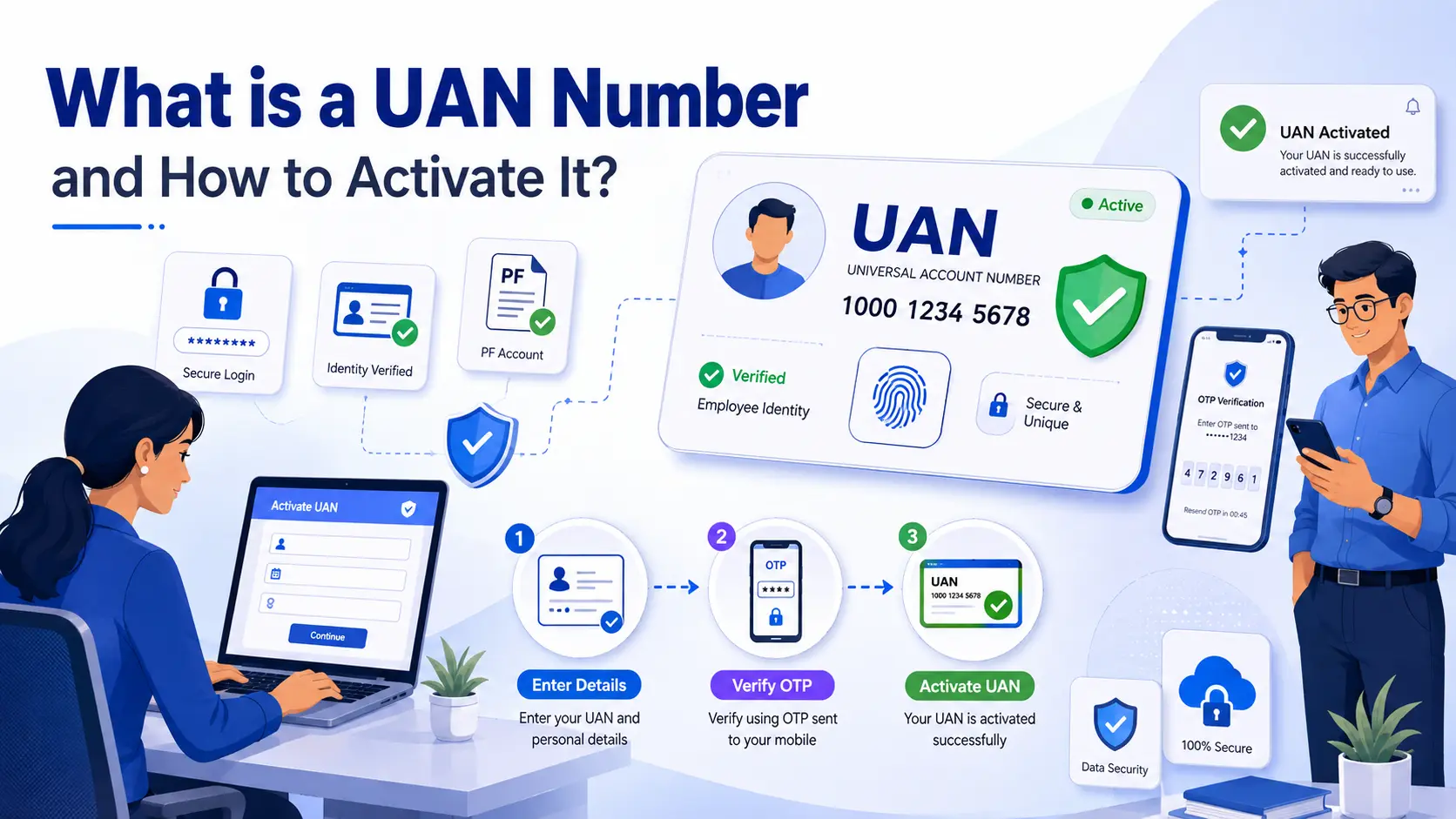
A provident fund is one of the major retirement saving schemes for salaried employees. An individual who has even once contributed to the EPF scheme must be aware of their UAN number.
This number serves many purposes for the employees, ranging from passbook login to money withdrawal. So, it is important to activate the UAN number once you get it from the employer. This blog will help you to understand more about the UAN number and the right way to activate it.
| A UAN number, or Universal Account Number, is a unique 12-digit ID provided by EPFO to employees contributing to the EPF scheme. It helps users access PF services like checking PF balance, downloading passbooks, updating KYC details, and withdrawing PF funds online. Employees can activate their UAN through the UMANG app using Aadhaar-based face authentication. |
What is a UAN Number?
UAN is a set of 12-digit numbers provided by the Employees’ Provident Fund Organisation (EPFO) to employees contributing to the EPF scheme. This number remains the same for an employee’s lifetime, even after switching jobs. With this, you can manage multiple PF accounts linked to different jobs under one single number.
With the help of a UAN number, employees can check their PF balance, download the passbook, withdraw PF funds, transfer accounts, and access various EPFO services online easily.
Benefits of UAN Activation for Employees
There are many benefits of UAN activation for the employee. Here are some of the main ones:
- Download the UAN card
- Check the employer and your contribution
- Withdraw or transfer the PF amount
- Track your PF balance
- Access multiple PF accounts linked under a single UAN
- Complete KYC by updating Aadhaar, PAN, and bank account details
Details Required for UAN Activation
Here are some of the key documents you will need to activate your UAN number through the UMANG portal:
- UAN number
- Aadhaar card
- Mobile number linked with Aadhaar
- Employee ID or PF Member ID
- PAN card (if linked with EPF)
How to Activate UAN Online
Activation is essential to use the EPFO services for employees. Here are the steps to activate UAN online:
- Download and open the UMANG app on your smartphone.
- Go to the ‘Services’ section.
- Search and select ‘EPFO’ from the list of services.
- Now, click on the UAN activation option.
- Download the AadhaarFaceRD, if not already installed.
- Enter Aadhaar number and the linked mobile number.
- Enter the OTP received on your registered mobile number.
- Start the face scan using your phone camera.
- If asked, complete the Aadhaar face authentication process.
- Your UAN and temporary password will be sent to your registered mobile number.
- Your photo and address will also get updated.
| Do You Know? UAN activation through the EPFO portal is no longer available. Employees can now activate their UAN only through the UMANG app using Aadhaar-based face authentication. Simply download the UMANG app, select EPFO services, and choose the UAN Activation option to complete the process. |
Common Issues During the UAN Activation Process
This table helps you to understand the problems that one can face while activating a UAN, along with the solution.
| Common Issue | Solution |
| Mobile number not linked with Aadhaar | Link your mobile number with Aadhaar before starting the activation process. |
| Incorrect UAN or Aadhaar details | Recheck the entered details and make sure they match EPFO records. |
| OTP not received | Wait for a few minutes or try requesting the OTP again. |
| Name or DOB mismatch | Ask your employer to correct the details in the EPFO records. |
| Face authentication failed | Ensure proper lighting and scan your face clearly through the UMANG app. |
| Aadhaar is not linked to the PF account | Complete Aadhaar seeding with your EPF account first. |
| EPFO server issue | Try again after some time during non-peak hours. |
What is the Difference Between UAN and PF Number
Here are the points to know about the difference between UAN and PF number:
| UAN | PF Number |
| UAN stands for Universal Account Number. | PF Number is the account number provided by an employer. |
| It is a unique 12-digit number given by EPFO. | It is linked to a specific employer and PF account. |
| One employee has only one UAN throughout their career. | An employee can have multiple PF numbers when changing jobs. |
| UAN helps manage all PF accounts under one number. | The PF number is used to identify a particular PF account. |
| UAN remains the same even after switching jobs. | PF number changes with every new employer. |
Conclusion
To conclude, the UAN number is the ID to access the PF account for the employees. It is important for managing various EPFO services like checking PF balance, downloading passbooks, updating KYC details, and withdrawing PF funds online. Activating your UAN helps make the entire PF management process simple, quick, and convenient for employees.
FAQs
What is a UAN Number?
A UAN number, or Universal Account Number, is a unique 12-digit number provided by EPFO to employees contributing to the EPF scheme. It helps employees manage PF services like passbook access, PF withdrawal, and balance checks online.
How to Activate UAN Number?
You can activate your UAN number through the UMANG app using Aadhaar-based face authentication. Enter your Aadhaar details, verify the OTP, complete face authentication, and your UAN activation will be completed successfully.
Can I Activate UAN Without Aadhaar?
No, Aadhaar verification is mandatory for UAN activation through the UMANG app. Your mobile number should also be linked with Aadhaar for OTP verification.
Can I Have Two UAN Numbers?
No, an employee should have only one UAN throughout their career. If multiple UANs are generated, they should be merged through EPFO.
What Happens if UAN is Not Activated?
If your UAN is not activated, you may not be able to access online EPFO services like checking PF balance, downloading passbooks, or making PF withdrawals online.