The Employees’ Provident Fund Organisation (EPFO) is one of India’s largest social security organisations, which serves around 79.8 million contributing members and over 8.2 million pensioners through 767,775 registered establishments, as per the report.
With such a huge number of users, the EPFO portal has become an important online platform for managing PF-related services easily from home. In this blog, we will discuss everything about the EPFO login portal.
Types of EPFO Login Portals
There are mainly four login services available on the portal. Here are the names with a brief explanation:
| EPFO Login Portal | Used By | Purpose |
| EPFO Member Login (UAN Login) | Employees and PF account holders | To check the PF account details |
| EPFO Employer Portal Login | Employers and organisations | To manage employee EPF contributions |
| EPFO Passbook Login | EPF members | To check the PF balance and transaction |
| EPFO Pensioner Portal Login | Pensioners | Access the EPS (Employees’ Pension Scheme) related details |
How to Log in to the EPFO Portal?
The login steps for all EPFO login sections are different from each other. Let’s understand each of them in an elaborated way:
EPFO Member Login
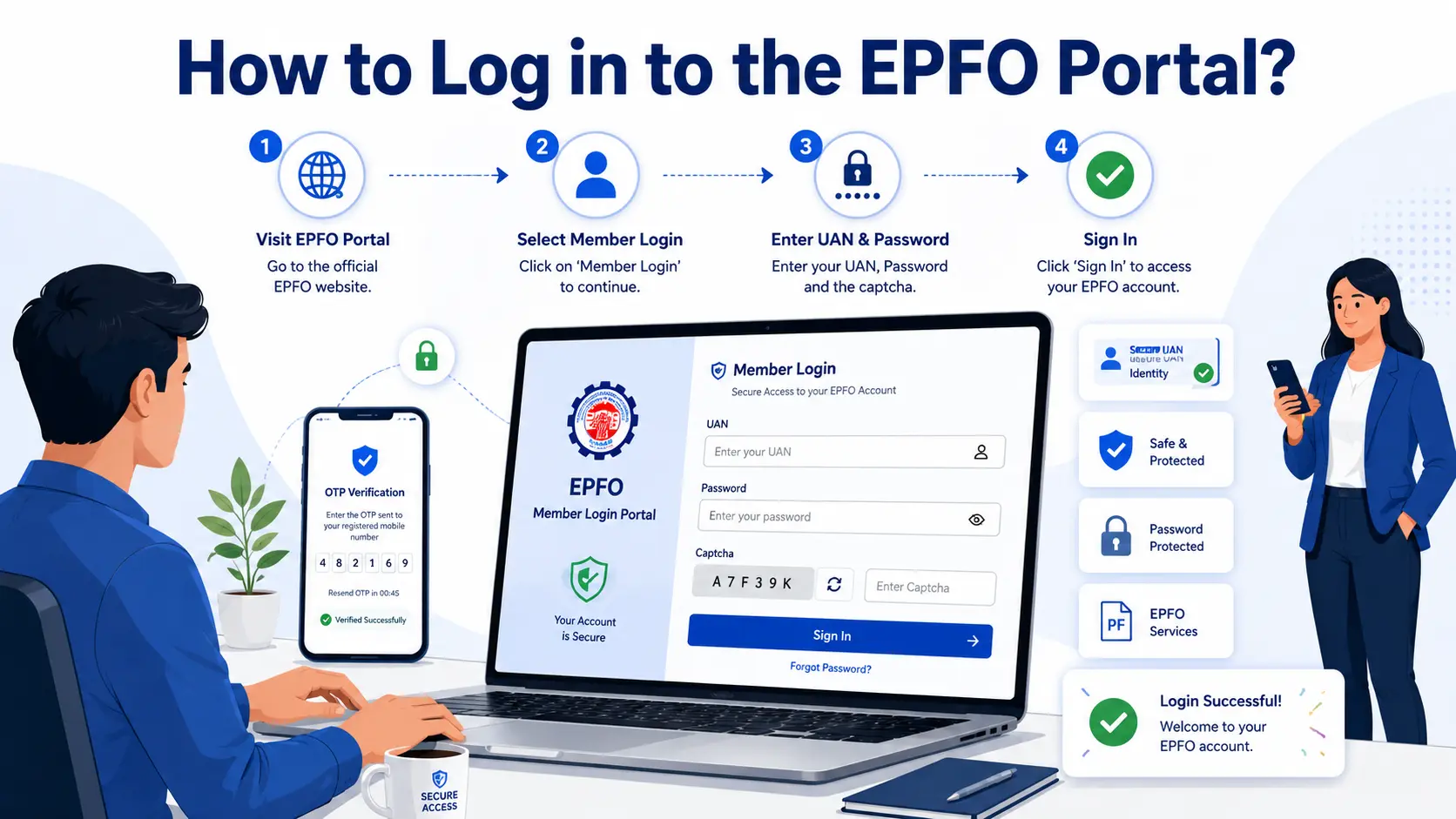
Here are the steps for the EPF portal login:
- Go to the official EPFO website to log in.
- Then, click on “Services” and select the “For Employees” option.
- Now, select the “Member UAN/Online Services” option.
- You will be redirected to the EPFO Member e-Sewa portal.
- Enter the details such as UAN, password, and Captcha code.
- Click on “Sign In” to access.
Note: EPF registration is done by the Employees’ Provident Fund Organisation through your employer when you start a job. Your UAN is created and linked to your EPF account.
EPFO Employer Portal Login
Here are the simple steps to log in to the EPFO employer portal:
- Visit the official EPFO Employer Portal website.
- Enter the details such as Establishment ID / Username.
- Start by filling out your password and captcha.
- Click on the “Sign In” tab.
- Now, access your dashboard.
EPFO Passbook Login
To access the transaction details through the passbook, the employee has to log in through:
- Visit the official EPFO passbook portal.
- Enter your UAN, password, and captcha.
- Then, click on the “Login” option.
- After logging in, select your Member ID (linked to your employer).
- Finally, choose the “View Passbook” option.
EPFO Pensioner Portal Login
The EPFO Pensioners Portal service-based access system, not a dashboard login. You have to log in separately for each service. Here is the process for EPFO pension portal login:
- Go to the official EPFO pensioners portal.
- You will see multiple options on the homepage, such as Jeevan Pramaan Enquiry, Know Your PPO No., PPO Enquiry/Payment Enquiry, Know Your Pension Status, and Know Your Pension Payee Bank.
- Choose from the options based on your needs.
- Enter the required details, such as PPO number and captcha.
- Click on submit.
List of the Services Available After EPFO Portal Login
After logging in to the EPFO portal, users can access various PF-related services online without visiting the EPFO office.
With the EPFO unified portal, an employee can:
- Check EPF balance online
- Download and view the EPF passbook
- Apply for PF withdrawal or advance claims
- Track EPF claim status
- Transfer the PF account after changing jobs
- Update KYC details such as Aadhaar, PAN, and bank account information
- Download the UAN card
- Update personal details linked with the PF account
- Manage nominee details under the EPF and EPS schemes
- Activate or reset UAN login credentials online
Using this portal, an employer can easily:
- Manage employee PF contributions
- Update employee-related EPFO details
- Complete EPFO compliance-related activities
- Manage employee UAN-related services
EPFO portal helps pensioners to:
- View pension-related services and details
- Access pension account information online
- Manage pension-related account services
Common EPFO Login Problems and Their Solutions
Here are some of the leading EPFO login problems along with the tips to solve them:
| EPFO Login Problem | Simple Solution |
| Forgot password | You can simply reset it with the “Forgot Password” option on the portal. |
| Invalid UAN or password | Recheck the entered UAN and password carefully. |
| OTP not received | Cross-check your registered mobile number and network coverage. |
| Invalid captcha | Refresh the page and enter the new captcha correctly. |
| Website not responding | Try again after some time or use a different browser. |
| Inactive UAN | Activate the UAN first. |
| Mobile number not linked with UAN | Update the mobile number through the EPFO portal or the employer. |
| No access to the passbook | Ensure that the UAN is activated and linked with Aadhaar. |
Tips to Use the EPFO Login Portal Safely
To make your EPFO unified portal login safe, follow the tips given:
- Always use the official EPFO website for login.
- Never share your UAN password or OTP with anyone.
- Create a strong password using letters, numbers, and special characters.
- Change your EPFO password for better security.
- Avoid logging in through public Wi-Fi or shared computers.
- Once you are done with your purpose, just log out.
- Keep your registered mobile number updated to receive OTPs and alerts.
- Check your PF balance and account activity regularly.
- Do not click on fake EPFO links shared through messages or emails.
Conclusion
To conclude, the EPFO unified portal aims to serve employees, employers, and pensioners at the same time. It is a digital platform that records EPF contributions, pension details, claims, withdrawals, and other important PF-related services in one place.
By logging in to the EPFO portal, users can easily access and manage their EPF account online without visiting the EPFO office physically. The portal makes the entire process faster, simpler, and more convenient for users across India.
FAQs
What is the EPFO login portal?
The EPFO login portal is an online platform that allows employees, employers, and pensioners to access various PF-related services
What is the importance of the EPFO unified portal?
The EPFO unified portal is used to manage EPF accounts and related services online. It helps users to access services like PF withdrawal, UAN activation, claim tracking, pension services, and employer-related EPFO tasks in one place.
Who can access the EPFO unified portal?
Employees, employers, and pensioners can access the EPFO unified portal using their login credentials to manage their respective EPFO interests online.
How can I reset my EPFO password?
Users can reset their password online by clicking on the “Forgot Password” option on the login page and verifying their registered mobile number through OTP.
Can I check my PF balance online?
Yes, users can check their PF balance online after logging in to their account. They can also download the EPF passbook and view transaction details.
Also Know – Steps to Pay LIC Premium Online Without Login
1 thought on “How to Log in to the EPFO Portal?”